


Galileo: Medical Care
4.8775.00 Reviews
App Specs
- Version
- 2026.08.21
- Updated On
- License
- Free
- Downloads
- 100,000+
- Developer
- Galileo Health
- Categories
- Medical
- Platform
- Android
Screenshots
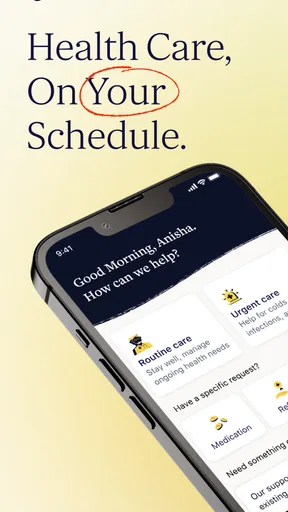
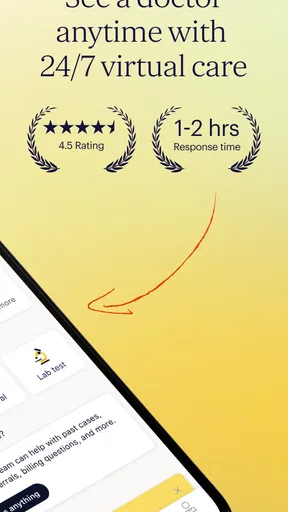
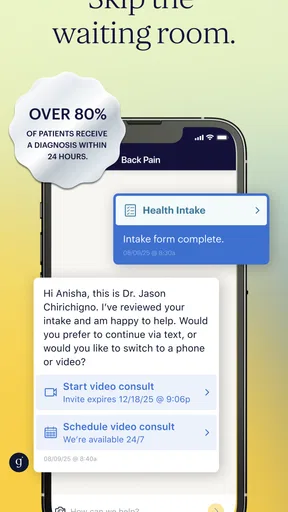
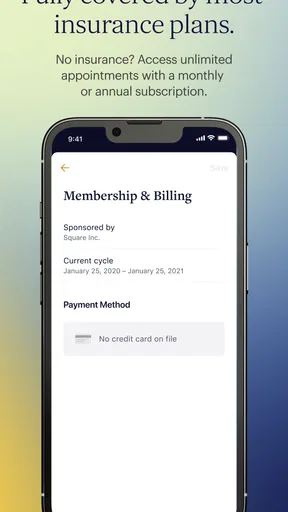
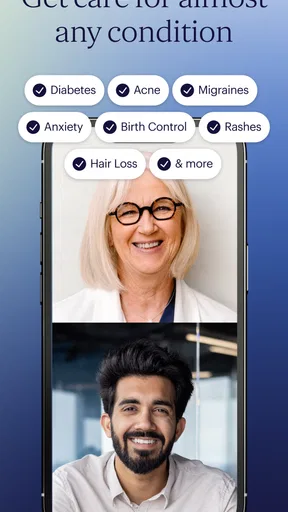
 Analysis by AppCompare
I came to Galileo: Medical Care looking for something more practical than searching symptoms across the web, but less disruptive than arranging an in-person visit for every minor concern. Developed by Galileo Health, this free medical app is designed around access to care rather than entertainment, fitness tracking, or general wellness content. Its promise is simple: help users connect with medical support when they need it.
That distinction matters. A healthcare app is only useful if it fits the moment when you are tired, worried, busy, or unsure what to do next. In my experience, Galileo is most appealing when a question feels important enough to deserve professional attention but not obviously serious enough to justify rushing to an emergency department. It can also be useful for people who want a more convenient route into routine medical guidance.
The app has built a strong public reputation, with a 4.8 average from around 5K ratings and more than 100K installs. Those figures do not replace personal experience, but they suggest that the basic idea resonates with a substantial group of users. I also appreciate that it is free to install and carries an Everyone age rating, making the initial step easy for a broad audience.
How Galileo fits into everyday medical decisions
I find that the most useful way to think about Galileo is as one option in a household’s care routine, not a shared account or a substitute for everyone’s usual clinician. In this section, I’ll focus on how to decide who should use it and what information is better kept within each person’s own care conversation. That boundary leads naturally to the practical question of how family members can coordinate without assuming the app manages care for them.
A useful middle ground between searching and visiting a clinic
The most convincing role for Galileo is as a bridge between two familiar choices: trying to diagnose yourself online and booking a traditional appointment. Search engines can return too much information, often without helping you decide what action is sensible. A clinic may provide better continuity for complex care, but arranging a visit can take time and may feel excessive for a straightforward question.
I would use Galileo when I wanted a medically informed next step for an issue that was bothering me but did not appear immediately life-threatening. For example, imagine waking up before work with a new rash, a persistent cough, or a question about whether a symptom deserves attention. Instead of reading several contradictory pages, I could use the app to seek care and explain what was happening in my own words.
That scenario also shows the app's practical limitation: it should support a decision, not replace judgment in an emergency. Severe breathing trouble, signs of a stroke, major injury, chest pain, or any rapidly worsening condition calls for urgent local help. A remote medical service is not the right tool simply because it is convenient.
Worth Reading Before You Choose

EA SPORTS FC Mobile 26 Is a Bigger Football Game, but It Takes Time

Flipboard Shows What News Apps Must Do Beyond the Feed

Switching to Android Auto Means Rethinking Your Driving Routine

Google Calendar Makes a Crowded Week Easier to Manage

Ludo King Makes the Most of the Minutes Between Plans

Baby Panda World Brings Quick Play to Modern Phones, but Its Game Library Feels Busy
What the current version suggests about the product
The current version is listed as 2026.08.21, while the app was released on September 24, 2019. That combination tells me Galileo is not a short-lived experiment. It has had time to move beyond its original launch and continue receiving product attention. At the same time, a version number by itself is not proof that every part of the experience has changed dramatically, so I treat it as evidence of ongoing maintenance rather than a guarantee of a particular new feature.
The minimum operating system is Android 9, which keeps the app accessible to many devices that are no longer brand new. That is helpful for people who want medical access without replacing a perfectly usable phone. Still, users on older hardware should check compatibility before relying on it as their only route to care, especially if their device has limited storage or an outdated system environment.
Galileo Health's focus gives the app a clearer identity than a generic symptom checker. The difference is important: a symptom checker usually offers an automated list of possible explanations, while a medical-care app is expected to guide a person toward interaction with healthcare professionals. I find that human-care orientation more reassuring when the question depends on context, history, or details that a checklist cannot understand well.
The first-use workflow I would recommend
I would not open the app for the first time while already panicking. A better approach is to install it when calm, look through the opening steps, and understand how to request help before a stressful situation occurs. Medical apps are easier to judge when you are not simultaneously trying to describe symptoms, remember dates, and decide whether the problem is urgent.
When describing a concern, I would write a short timeline rather than a dramatic summary. Include when it began, whether it is getting better or worse, what makes it uncomfortable, and anything relevant that changed beforehand. This is one of the most useful habits with remote care: clear information gives a clinician a better starting point than a single label such as “infection” or “allergy.”
I would also keep a record of what I already tried. Mentioning an over-the-counter product, a home remedy, or a previous medical instruction can prevent the conversation from starting at the wrong place. This is not a special Galileo feature; it is a workflow advantage that becomes particularly valuable when care is delivered through a phone rather than across an examination room.
Where the app feels strongest
Galileo is strongest when convenience and professional context matter at the same time. A parent managing a busy household may want guidance about a non-emergency symptom without taking everyone to a clinic. A worker with a packed schedule may prefer starting a medical conversation from a phone. Someone who is unsure whether a concern warrants an appointment may value a structured way to ask for help rather than guessing alone.
I also see value for people who dislike the uncertainty of online searches. Search results tend to mix reputable medical sources with alarming anecdotes and commercial pages. Galileo's purpose is narrower, which can make the experience feel less chaotic. The benefit is not that every answer will be simple; it is that the user begins from a care pathway instead of an unfiltered pile of information.
Another less obvious strength is the possibility of preparing a better handoff. Even if the app does not become the user's long-term healthcare home, a well-organized account of symptoms, timing, and previous steps can help the person explain the problem elsewhere. I would still keep copies of important instructions and follow up with my regular clinician when the issue is ongoing or complicated.
How it compares with ordinary alternatives
Compared with a search engine, Galileo offers a more focused route to medical attention and less temptation to self-diagnose from unrelated stories. Compared with an automated symptom checker, its value is the expectation of care rather than a probability list. Compared with a traditional clinic, the advantage is convenience and the ability to begin from a phone, while the trade-off is that remote interaction cannot provide every examination, test, or procedure.
Those comparisons should not be interpreted as a universal ranking. I would choose a primary-care practice for a long-term condition that needs continuity, medication monitoring, or a physical examination. I would choose a local urgent-care service when an in-person assessment seemed necessary but the situation was not an emergency. I would choose emergency services when delay could be dangerous. Galileo makes the most sense in the space between those options.
It is also different from a wellness app. It is not the tool I would open primarily for exercise plans, meal tracking, meditation, or daily habit streaks. Its purpose is medical care, so a person looking for lifestyle motivation may find a dedicated health-and-fitness app more suitable. The narrower focus is a strength for medical questions, but it means the app should not be judged as an all-purpose personal health dashboard.
The friction that deserves attention
Remote care always asks the user to communicate accurately without the benefit of a physical examination. That can be difficult with symptoms that are visual, intermittent, embarrassing, or hard to describe. A person may believe they have provided enough information while leaving out the detail that changes the clinical picture. I would slow down and reread every description before sending it.
There is also an emotional trade-off. A phone-based conversation can feel less intimidating than a clinic, but it can also feel less reassuring when someone wants immediate physical confirmation. If the answer recommends an in-person visit, the app may still have been useful, yet it will not have eliminated the next step. Users should see that outcome as part of responsible care rather than as a failure of the service.
Another limitation is continuity. People with complicated medical histories often benefit from one clinician or team knowing the full story over time. Galileo may be a convenient entry point, but I would not assume that convenience automatically equals comprehensive longitudinal care. For recurring symptoms, chronic illness, pregnancy-related concerns, or medication changes, coordination with an established healthcare professional remains important.
Privacy and trust also deserve deliberate attention with any medical app. I would read the app's current privacy and consent information before entering sensitive details, especially if I were using a shared phone. I would use a device lock, avoid discussing private symptoms where others can see the screen, and keep notifications in mind. These steps are sensible for Galileo because the app's usefulness depends on users feeling comfortable sharing personal health information.
What existing users may notice over time
For someone who installed Galileo years ago, the current version indicates that the product has continued evolving rather than remaining frozen at launch. That may mean a smoother experience, adjustments to the care flow, or compatibility work for newer devices, but I would avoid assuming that every update changes the medical service itself. Product updates and clinical outcomes are not the same thing.
Existing users should therefore judge the current experience by practical questions: Can I explain my concern clearly? Can I understand the next step? Does the response fit the seriousness of the problem? Is it easy to return to relevant instructions later? Those questions are more useful than focusing only on the version label.
If I had already used Galileo successfully, I would still keep my expectations realistic. A familiar app can make it easier to seek help early, which is valuable, but familiarity should not encourage me to delay urgent care or reuse old advice for a new symptom. Medical situations that look similar can have different causes, and previous guidance is not automatically a current diagnosis.
Who should try it, and who should skip it
I would recommend trying Galileo to adults who want a convenient way to begin a medical conversation, people who are comfortable explaining symptoms through a phone, and households that want an additional option for non-emergency concerns. It is especially attractive if arranging a conventional appointment is difficult or if online searching leaves you more confused than informed.
I would be more cautious about making it the main solution for someone with complex ongoing care, a need for frequent physical examinations, or a condition that depends heavily on laboratory results and specialist coordination. Those users may still find it useful in specific situations, but a regular healthcare team is likely to be the better foundation.
I would skip it for emergencies and for anyone expecting an app to diagnose every symptom instantly. I would also avoid treating it as a replacement for a pharmacist, primary-care clinician, or specialist when the question involves an important medication decision. The convenience is real, but convenience should not become a reason to remove necessary professional context.
What I would watch as the product continues
The most important future question is not simply whether Galileo adds more screens. I would watch whether the experience makes it easier to communicate complicated symptoms, understand follow-up instructions, and move smoothly to in-person care when remote support is not enough. Those are the details that determine whether a medical app remains useful after the novelty wears off.
I would also look for signs that the service continues to balance speed with careful triage. Fast access is valuable, but medical care should not feel rushed when the situation is uncertain. Clear explanations about next steps, reminders to seek urgent help when appropriate, and sensible handling of ongoing concerns would matter more to me than a visually impressive redesign.
The current release history supports cautious optimism: Galileo has been available since 2019 and is still represented by an actively numbered version. That shows durability, not perfection. My recommendation is to install it as one tool in a broader healthcare plan, learn the workflow before you need it, and keep local emergency and primary-care options available.
Overall, I find Galileo Health's app compelling because it addresses a real everyday problem: knowing how to start when a medical concern is too important to ignore but not obviously an emergency. Its free access, Everyone rating, broad device compatibility from Android 9 onward, and strong user response make it easy to consider. The key trade-off is simple: Galileo can reduce the friction of seeking care, but it cannot remove the limits of remote medicine.
That makes it a worthwhile option for practical, non-emergency medical guidance, especially when a search engine feels unreliable and a clinic visit feels difficult to arrange. I would recommend it to a friend with that exact expectation—not as a magic diagnosis machine, but as a convenient doorway to professional care when used thoughtfully.
Pros
- Easy access to medical guidance from a trusted healthcare provider.
- Useful for managing appointments
- prescriptions
- and personal health information.
- Can reduce waiting times for routine consultations and follow-ups.
- Convenient option for users with limited mobility or busy schedules.
- Digital records can help keep important care details organized.
Cons
- Some services may only be available to Galileo members or eligible plans.
- Video consultations require a reliable internet connection and compatible device.
- Not suitable for emergencies requiring immediate in-person treatment.
- Response times may vary depending on provider availability and demand.
- Sharing sensitive health data digitally may concern privacy-conscious users.
FAQs for Galileo: Medical Care
What is Galileo: Medical Care, and what services does it provide?
Galileo: Medical Care is a digital healthcare app designed to connect users with medical professionals through their mobile devices. Depending on your location and membership, it may offer virtual consultations, medical guidance, treatment recommendations, prescription support, and follow-up care. The exact services, specialties, availability, and pricing can vary, so you should review the current details in the app before signing up.
Can I use Galileo: Medical Care for urgent or emergency medical problems?
No. Galileo: Medical Care should not replace emergency services or immediate in-person treatment. If you are experiencing severe symptoms, such as chest pain, difficulty breathing, signs of a stroke, serious bleeding, or a life-threatening allergic reaction, contact your local emergency number or go to the nearest emergency department. The app is more appropriate for non-emergency questions, routine care, and certain ongoing health concerns.
Do I need a subscription or insurance to use Galileo: Medical Care?
Access requirements depend on the plan available in your region and how Galileo is offered through employers, health plans, or direct membership. Some users may need an active subscription, while others may receive access through an eligible organization or insurance arrangement. Before downloading or booking a consultation, check the app’s pricing, eligibility rules, included services, cancellation terms, and any possible charges for medication or additional care.
Can Galileo: Medical Care prescribe medication or provide referrals?
Healthcare professionals using Galileo may be able to recommend treatment, prescribe certain medications, or arrange referrals when clinically appropriate and legally permitted in your location. Prescriptions are not guaranteed, because the provider must review your symptoms, medical history, current medicines, and applicable regulations. Some medications may require an in-person examination, laboratory testing, or evaluation by a local specialist before they can be prescribed.
Is my personal health information secure when using Galileo: Medical Care?
The app handles sensitive information such as symptoms, medical history, messages, and consultation details, so privacy is an important consideration. Review Galileo’s privacy policy, terms of service, data-sharing practices, and account-security options before using it. Use a strong password, keep your device updated, and avoid accessing your account on shared devices. Privacy protections and legal requirements may differ depending on your country or region.


